Glendale East Public School Newsletter

Term 1 - Week 8 - Friday 18th March

Mr Lewis' Report

What a fantastic fortnight we have had at GEPS, concluding with our wonderful book fair, which was our first official event that we welcomed families back onto site. It was lovely to see so many families enjoying a picnic on our bottom flat grass and thankfully it was a sunny day. I look forward to holding more events where families are welcome onsite to be active participates in their children’s schooling.

Parent Teacher Meetings

Thank you to all families that took the time to book in a parent teacher meeting. Our teachers have reported that these have been a really positive time to touch base and share information about our students. We will be looking to have more parent teacher meetings in term 3, however, please be confident in reaching out to your child’s class teacher anytime for a chat. As a school, we actively encourage families to keep in regular contact with our teachers and be involved their children’s education.

Principal contact

A few members of our community have indicated that they have tried to get in contact with me via SeeSaw. As a school administrator I don’t get notifications when messages have been sent through. If you need to contact me for any reason, please don’t rely on SeeSaw. The best ways to contact me are either via e-mail at glendalee-p.school@det.nsw.edu.au or by calling our office on 49549551.

Notes home

As of Monday, we will be posting all notes via our SeeSaw page as an electronic way of connecting with our families. Since the lockdown period last year, we have had the majority of our families connect to our SeeSaw class pages. SeeSaw allows us to send home notes to individual classes or make whole school notifications. If you are having trouble accessing SeeSaw, please contact your child’s teacher and they will be able to support you to connect. Notes that require a signature will be sent home via paper copy, however, we will post it on SeeSaw also, to ensure families have all the information. It is a requirement to still send the signed paper copy back to school to ensure permission is given for excursions or events.

Respecting our neighbours

At GEPS, we enjoy positive relationships with all neighbours that share a fence line with our school. These neighbours keep an eye out on our school over weekend and holiday periods, which we are very grateful for. In return, can I please ask all GEPS community members to respect our neighbours by not parking across driveways, not leaving rubbish on their properties and moving promptly away at drop off and pick up times to minimise congestion in their otherwise quiet streets.

COVID-19 Update

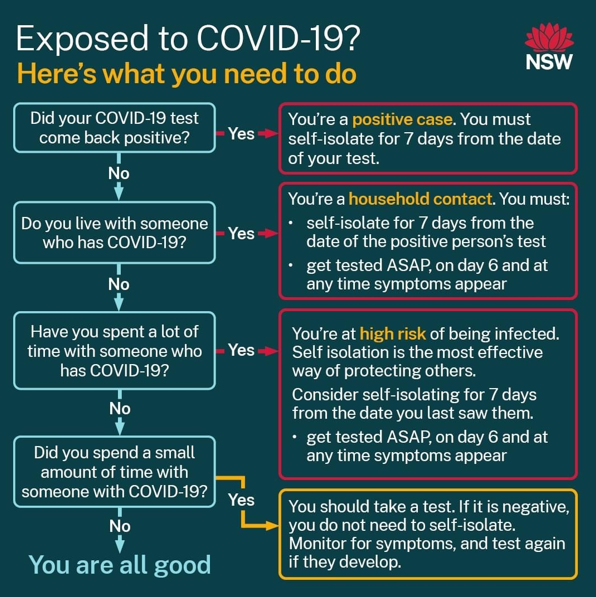
COVID-19 continues to be prevalent across our local area, including within our school community. Please remember to use the Rapid Antigen Tests (RATs) provided by the school and continue testing when students are displaying symptoms. If you run out of RATs and/or are having trouble finding them in shops, please reach out to our office on 49549551 as we have some RATs left over from the final Department of Education drop that happened earlier in the term. Please remember if your child tests positive, or becomes a household contact, please contact our office to inform the school and class teacher. If your child is isolating and is able to, we encourage all students continue learning via the departments home learning resources. Currently, as of Friday 18th March, we are operating from week G of the home learning resources. Below is the link that will take you directly to these wonderful, kid friendly resources.

https://sites.google.com/education.nsw.gov.au/guided-learning-packages/home

Your child’s classroom teacher will make contact with you when a student is a household contact or a positive case, and if home learning is happening, they will go down as Flexible on our class rolls meaning they classed as attending school. I do, however, encourage all children who are unwell, to please take the time away from school work to recover fully, so they can return to onsite school learning, healthy and ready to learn. I have said this many times over the past 18 months, however, I want to thank everyone for their continued support in helping to keep our school fully operational during these times.

Tim Lewis

Advice From NSW Health

Book Fair

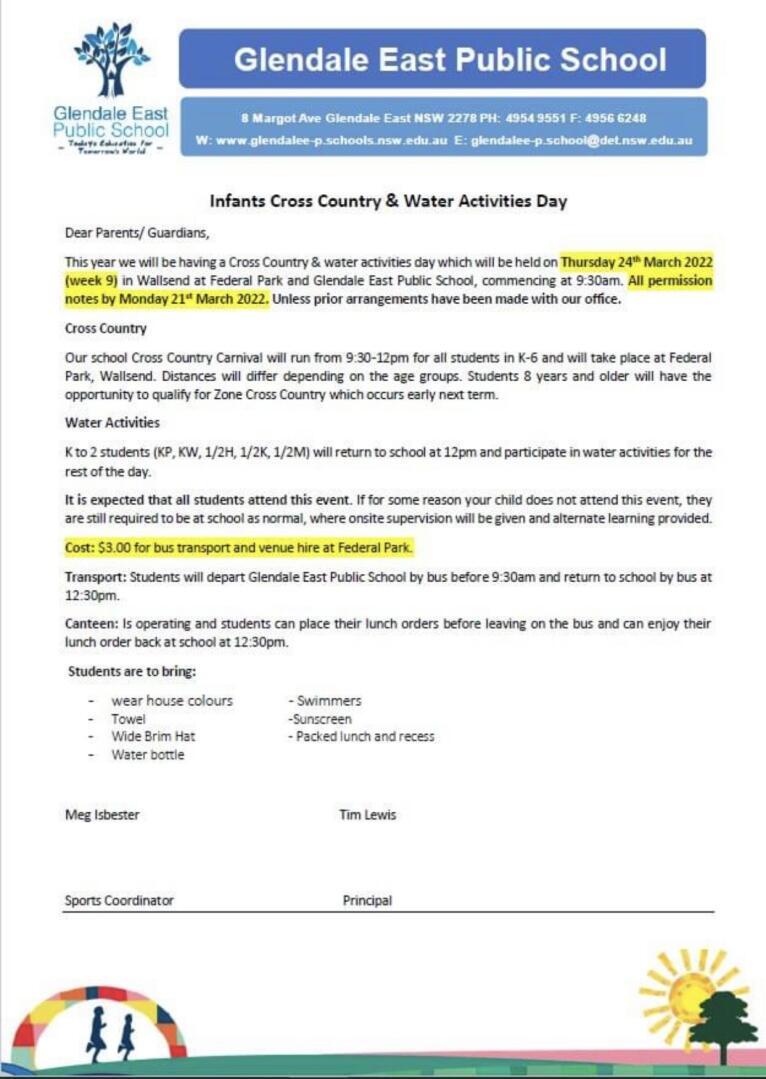
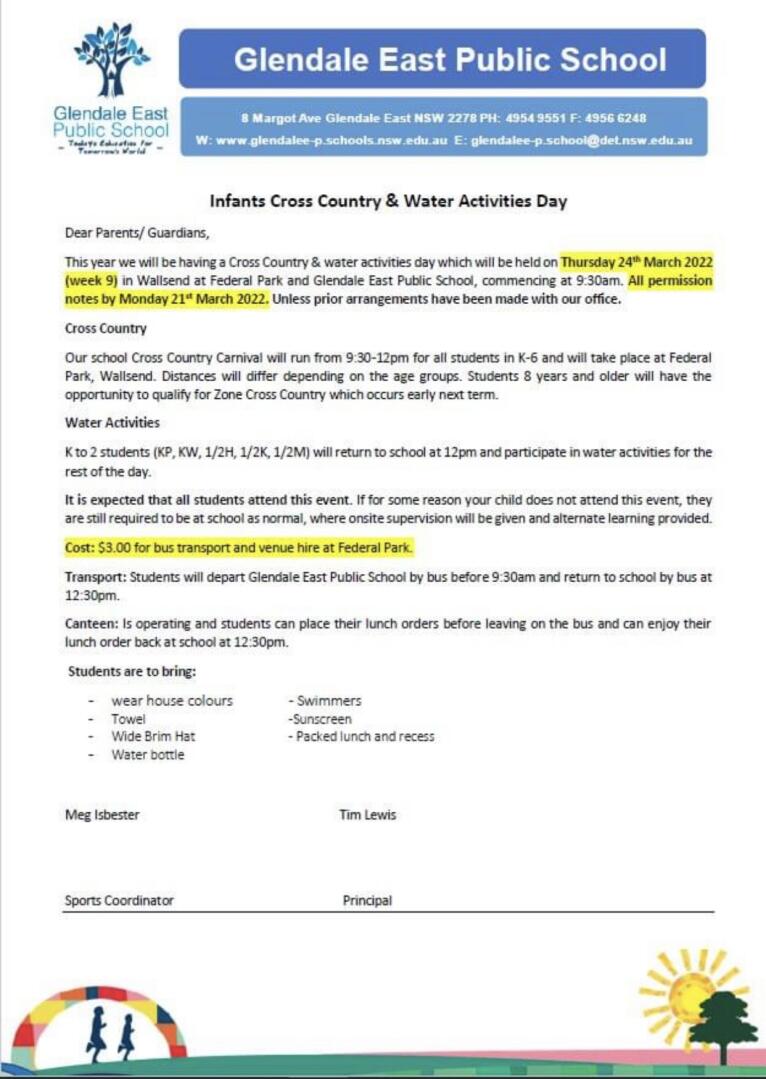
Cross Country & Water Day

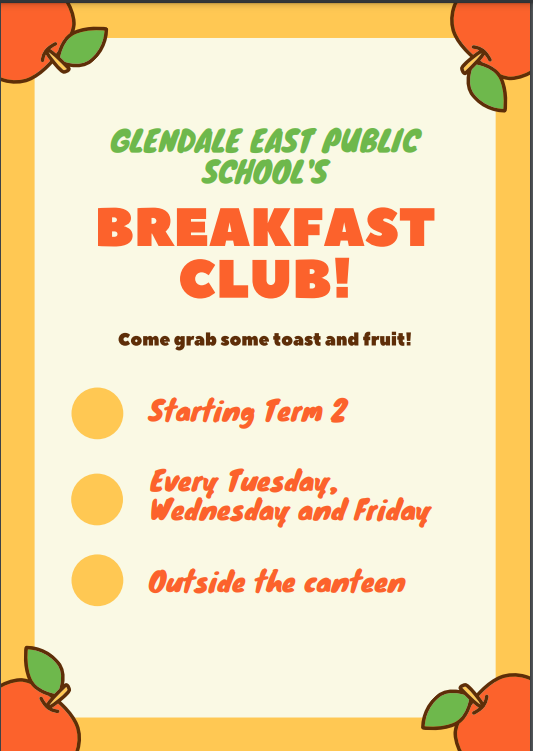
Breakfast Club Is Back In Term 2!

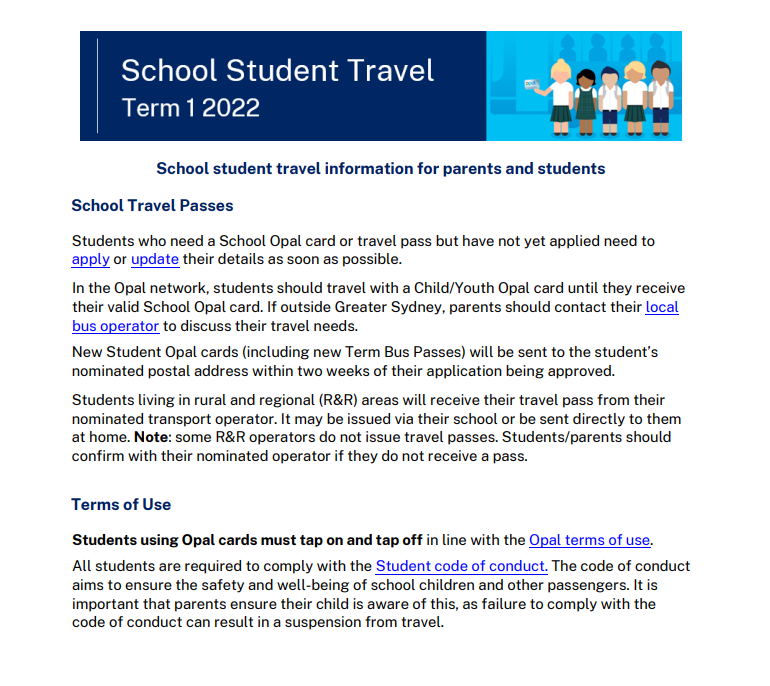
Student Travel

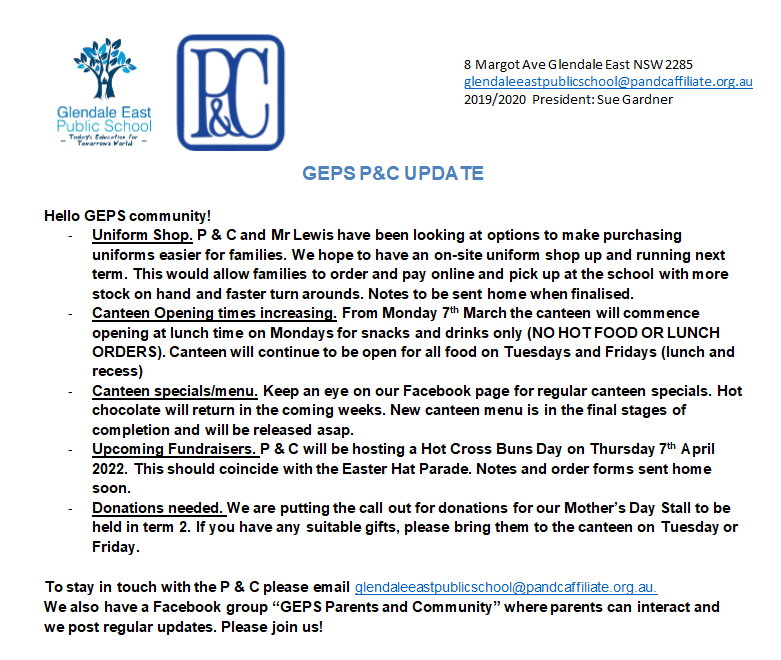
P&C NEWS

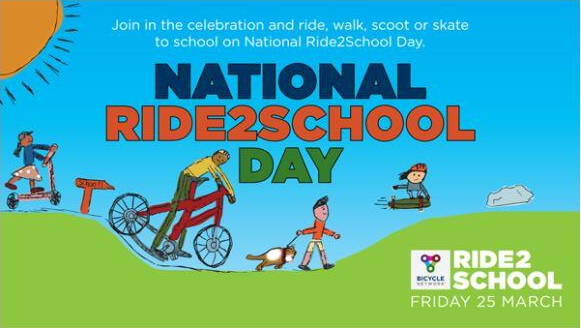
Friday 25th March - Ride2SchoolDay

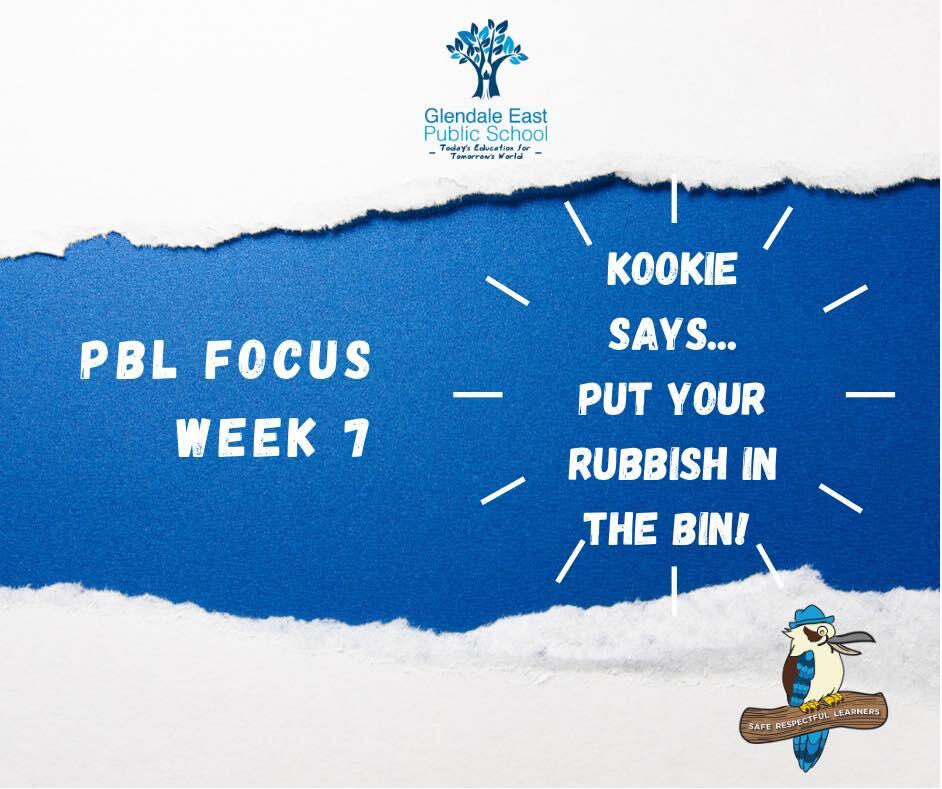
PBL FOCUS

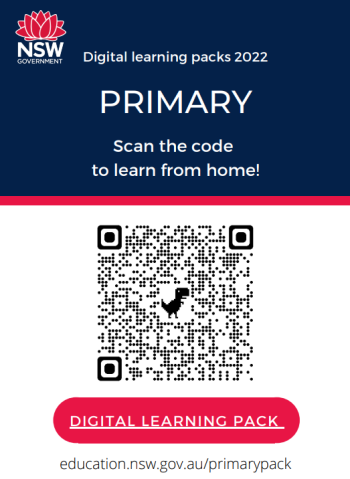
Learning From Home - Digital Learning Packs

The 2022 digital learning packs are easy-to-use activities for parents and carers to use with their child in the event that learning from home is needed promptly or unexpectedly. 

Each pack contains 5 days of learning and is updated every two weeks. 

Scan the QR code to begin!

Contact our office for more information on enrolments

You can now apply via our online portal ;

First step - check you are in zone for Glendale East Public School -https://schoolfinder.education.nsw.gov.au/index

Dept of Ed Enrolment Policy - https://education.nsw.gov.au//policy-library/policies/pd-2002-0006

Online application - https://enrol.education.nsw.gov.au/#/?schoolCode=4207


Taking Kindergarten 2023 enrolments now !

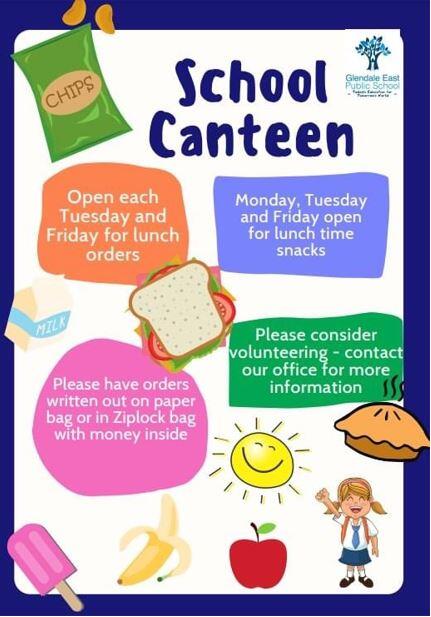
Volunteers needed! Contact our school office for more information

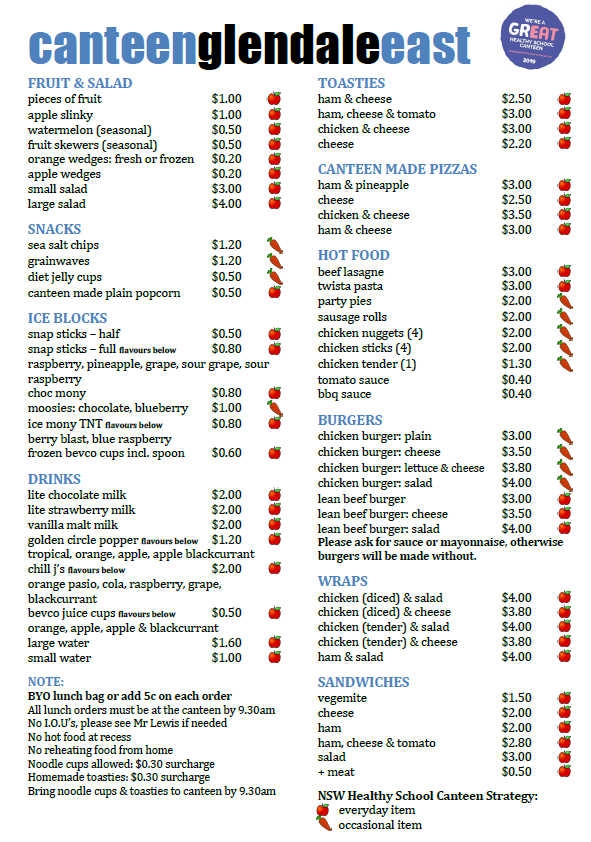
Canteen Menu - Open Tuesday & Friday

New On The Canteen Menu - YUM!

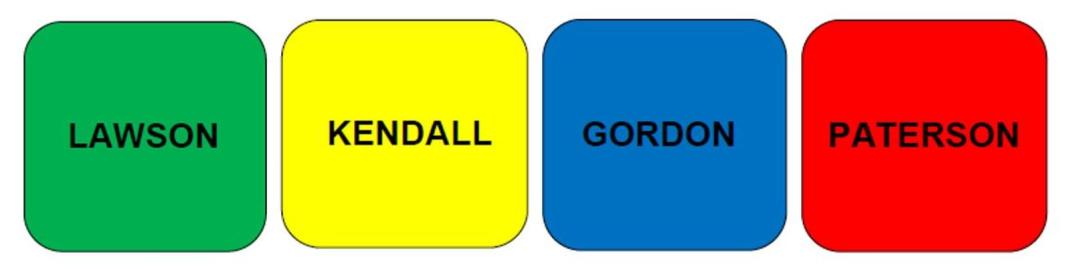
Sporting House Colours

Office Reminders

Office hours: Monday – Friday - 8:30am – 3:30pm. 

Email – glendalee-p.school@det.nsw.edu.au 

Website –  www.glendalee-p.schools.nsw.gov.au 

  • Voluntary School Fee – Our voluntary school fee remains at $50.00 per student for the entire year. Payment can be made online via our website.  

  • Student belongings - Please ensure all your child’s belonging are properly and clearly labelled. Lost property is in a box out the front of the kindergarten rooms.  

  • School Hats - We cannot provide spare hats to children if they are lost or left at home. If a child does not have their hat they are to play in the designated undercover area, so please remember to bring your school hat each day. School hats can be purchased at the office for $13.00 cash only. 

  • Emergency contacts – It is important that the school office has up to date contact details for parents, carers, and emergency contacts. If you need to update your details, please email the school at glendalee-p.school@det.nsw.edu.au so we can amend these changes in our system.  

  • Student and Family information 2022 – Please remember to hand back your 2022 consent forms that were handed to students at the beginning of the year. Marking your preferences re walking excursions, PG rated movies, computer lessons, scripture, and permission to publish. 

  • Early/Late - If you are dropping off your child or picking them up early, please make sure you come into our office and speak to our staff to sign in/check out.  

  • Contacting Teachers or Staff - If you need to you contact your child’s teacher or a staff member, the most effective method is via our school email address. glendalee-p.school@det.nsw.edu.au - Please attention the email to the teacher or staff member and include your child’s name and your best contact number. 

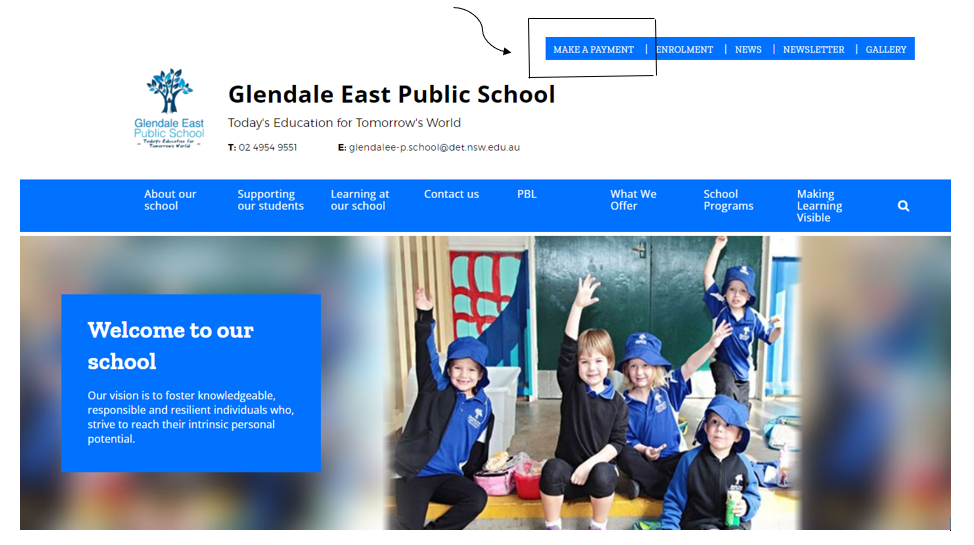
  • Payments - Making a payment online (preferred method is online payments)  

It is possible to make your parent online payment via a secure payment page, where possible parents are encouraged to pay for excursions on the parent online portal.  

 Steps as follows:  

· Go to Glendale East Public School webpage at – 

 glendalee-p.schools.nsw.gov.au  

· Select Make a Payment (found on the top of the front page of the webpage)  

· Enter all areas marked with a * Asterix only 

· Write this reference number once payment is made on the permission note.   

  • Medication – If medication is required during school hours, then it must be approved by the school principal.  

Parent/ Carer must complete a medication form if a child requires specific medication or ongoing health management. A letter from the prescribing doctor is required and all medication must be properly labelled by pharmacist.  

  • Notifying of absences – If your child is going to be away, you are welcome to call our office to let us know/message teacher on their class platform, alternatively a text message is sent out at 10:00 am each day that you can reply to, and we can amend their absence in our system.   

School Pick Up Zones

We have three entry points into our school.

A reminder that if you are picking up or dropping off your child  between school hours or need to come into the school grounds during this time to please enter via Margot Avenue gate.

Parent Online Payment

WHAT IS A POP PAYMENT?

POP is our schools preferred option of payment. 

It is a secure payment system hosted by Westpac to ensure that your credit/debit details are captured in a secure manner.  These details are not passed back to the school and are not stored by Westpac.

Parents and Carers can make online payments  via our school website.  Payments can be made using a Visa or Mastercard and will be processed via a secure payment page hosted by Westpac.  Debit cards are also accepted. 

Please note: the website will not tell you how much you owe so please have your term account handy when paying.

The advantages of POP are:

  • Secure payments 
  • Parents can print their own receipt or have it emailed to them for record keeping – no more searching in the school bag!

When you make an online payment you must enter the child's name and date of birth, plus the child's class.  This allows us to identify your child – ie in case we have some students with exactly the same name. No reference numbers are required - they are not mandatory fields.  These details are entered each time you make a payment as student information is NOT held within the payment system.  No student's details are given to Westpac.

PLEASE NOTE - Uniform purchases aren't to be done via POP payments. 

Skoolbag Issues

Are you having issues now and again with the Skoolbag App?

Please see details and quick solution;

We are aware of an error that is affecting some SkoolBag app users, resulting in the school's name not showing up on the app. When the affected user tries to reload the school into the app, you will receive a notice saying you are unauthorised. This issue is not affecting all schools, and we are currently working on identifying and resolving the issue, however, we recommend that all users of the Skoolbag app deletes and reinstalls the SkoolBag app on their device. 

When you log back into the reinstalled app, the school will appear as normal on their screen.

Steps:

  • delete the SkoolBag app from your device
  • reinstall the SkoolBag app on your device
  • log in to SkoolBag

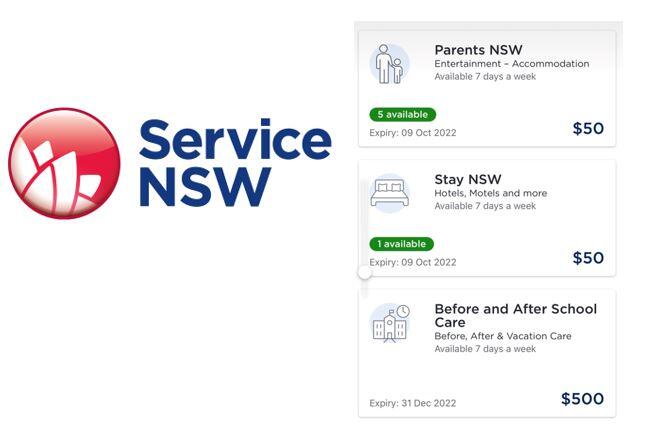
Don't forget to apply for your Service NSW vouchers online now

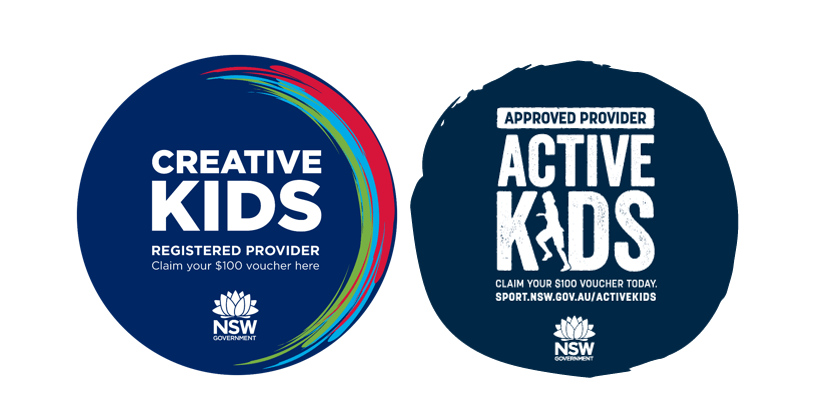
Creative & Active Kids Vouchers - Apply Online

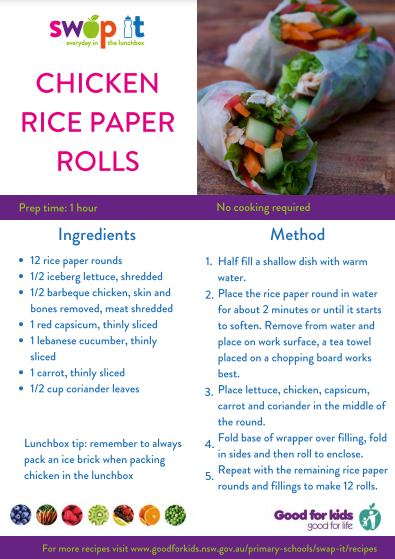
Healthy Lunch Box Option

Term 1 Calendar

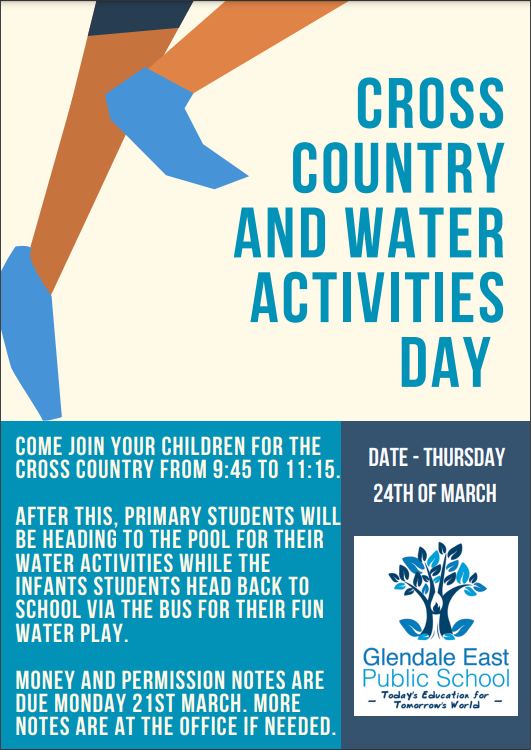
24th March - Cross Country & Water Day
8th April - Last day of Term 1